Got a WAV file that won’t fit as an iPhone ringtone, or an M4A podcast you need as MP3? AudioNeo’s audio converter handles MP3, WAV, OGG, AAC, and M4A right in your browser — no upload, no signup, instant download. Free, private, no watermark.
Why Convert Audio Files?
- Compatibility: Not all devices play all formats. iPhones prefer AAC/M4A, old MP3 players choke on AAC, some apps only accept WAV.
- File size: A 10-minute WAV can hit 100MB. Same audio as MP3 128 kbps is under 10MB.
- Editing flexibility: WAV is lossless and easier to cut in Audacity, Adobe Audition, or any DAW.
- Sharing: Most chat apps and email clients are happier with smaller MP3 files.
- Archiving: WAV for masters, MP3/AAC for distribution.
How to Convert Audio with AudioNeo
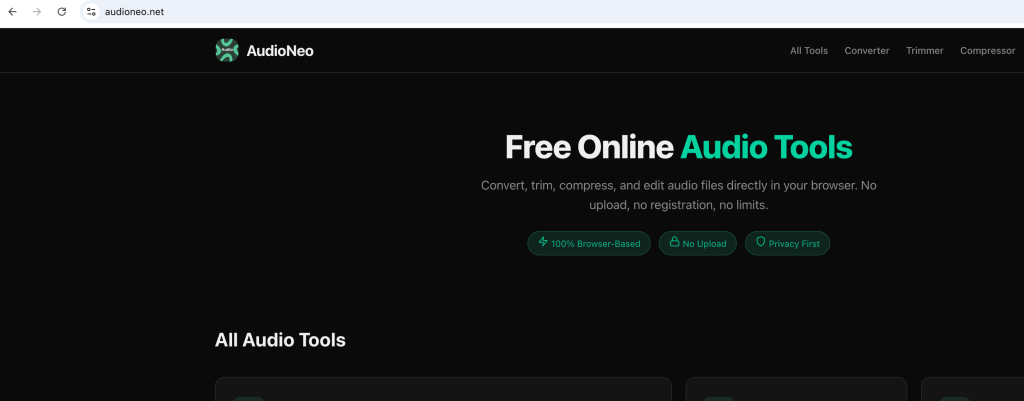
Step 1: Open the Converter
Go to AudioNeo Audio Converter. No signup, no install.
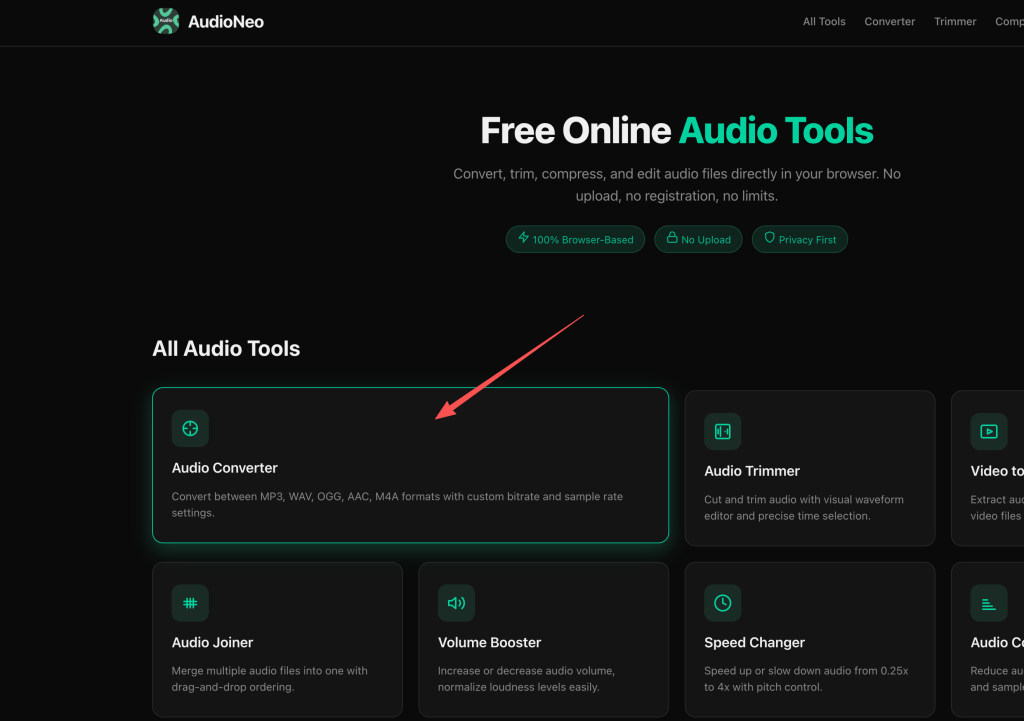
Step 2: Upload Your File
Drag the audio file onto the page, or click the upload area to browse. Source format doesn’t matter — the tool auto-detects what you dropped in.
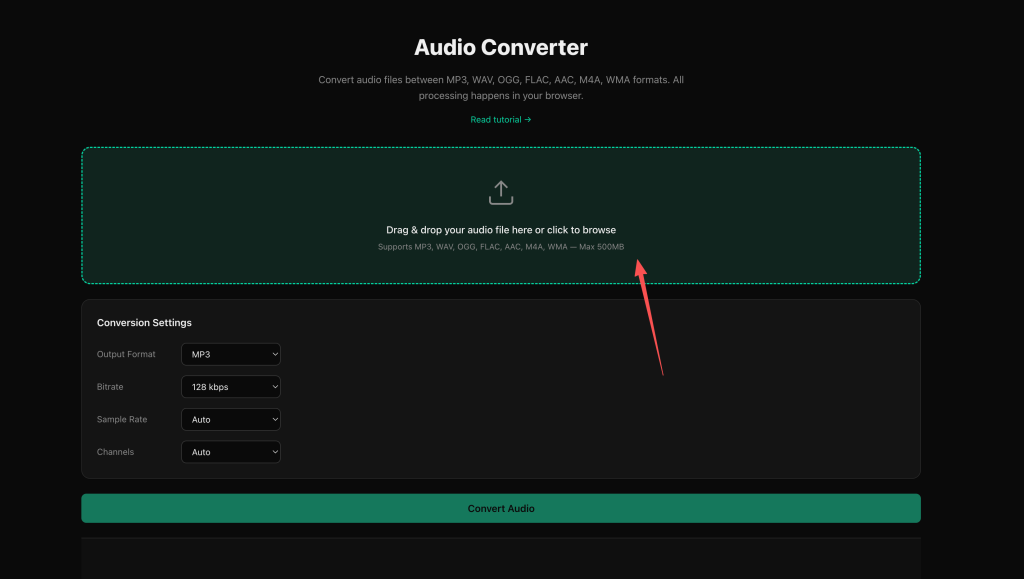
Step 3: Choose the Output Format
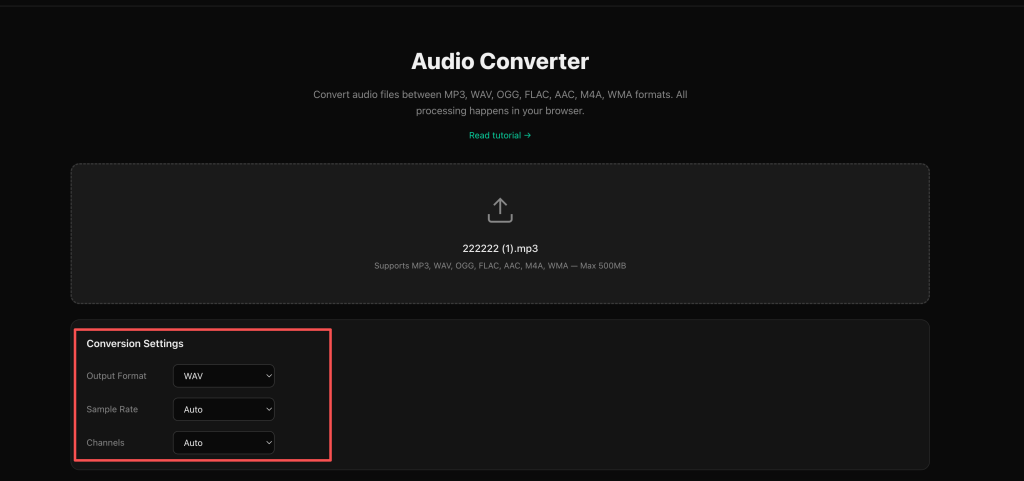
The dropdown has five options: MP3, WAV, OGG, AAC, M4A. Pick what you need.
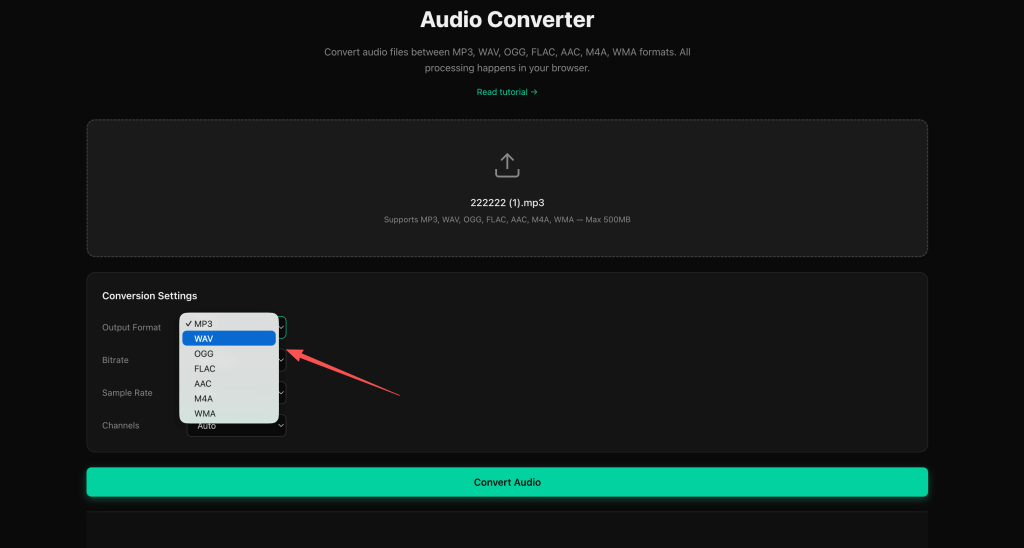
Step 4: Adjust Bitrate, Sample Rate, Channels (Optional)
If you don’t touch these, the tool picks sensible defaults. If you want to tune them:
Bitrate (64, 128, 192, 256, 320 kbps)
- 64–128 kbps: voice memos, podcasts
- 192 kbps: the sweet spot for music
- 256–320 kbps: only matters with high-end headphones or speakers
Sample Rate (22050, 44100, 48000 Hz)
- 44100 Hz matches CD quality
- 48000 Hz is the standard for video and streaming
- Picking higher than your source won’t improve quality
Channels (Auto, Stereo, Mono)
- Auto keeps the original
- Mono halves the file size — great for podcasts and voice
Step 5: Convert and Download
Hit the Convert button. For a 5-minute file it’s usually 5–15 seconds. The download starts automatically.
Which Format Should You Pick
MP3
The format everyone knows. Plays on every device made in the last 20 years. Decent quality, small files. Pick this if you’re not sure.
WAV
Uncompressed PCM audio. Lossless — the output sounds identical to the input. Use this for editing, archiving, or when quality matters more than file size. A 3-minute song is around 30MB.
OGG
The open-source alternative to MP3. Same quality at smaller file size, but some older devices and car stereos won’t play it. Best for web apps and Linux users.
AAC
The format behind iPhone recordings, Apple Music, and YouTube. Slightly better quality than MP3 at the same bitrate. Most modern devices support it.
M4A
Basically AAC in an Apple container. Same use cases as AAC. The default for iPhone Voice Memos.
How to Choose the Right Bitrate
- 64–96 kbps: Voice, podcasts, audiobooks. OK on phone speakers, rough on real speakers.
- 128 kbps: Minimum for music. Acceptable on earbuds.
- 192 kbps: The sweet spot. Transparent on most setups.
- 256 kbps: Audiophile territory. Worth it for classical, jazz, acoustic.
- 320 kbps: The maximum MP3 supports. Diminishing returns for most.
For voice-only content, 64 kbps mono is the best size/quality trade.
Why Use AudioNeo?
- Truly private: ffmpeg.wasm runs in your browser. Your file never touches a server.
- No upload time: Save the round trip — your big file stays on your device.
- No registration: Open the page, convert, leave. No email gate.
- No file size limit: 5MB or 500MB, the tool doesn’t care.
- No watermark: The output is your file, clean.
- No cost: Free, no upsell, no “pro plan”.
Frequently Asked Questions
Does AudioNeo upload my audio to a server?
No. The conversion runs entirely in your browser using WebAssembly. Your audio file is processed locally and never sent to any server. Close the tab and it’s gone.
What’s the maximum file size I can convert?
There’s no hard limit. The conversion happens in memory, so it depends on your device’s RAM. A 1-hour stereo file at 44100 Hz WAV is around 600MB — most modern browsers handle that.
Can I convert multiple files at once?
Not yet. The current version processes one file at a time. You’ll need to run them sequentially.
Will the converted audio sound different?
If you convert to MP3, AAC, or OGG, yes — these are lossy formats that throw away audio data to shrink the file. The difference is small at 192 kbps and up, but it’s there. For lossless output, choose WAV.
What audio formats can I use as input?
The tool accepts whatever the browser’s audio decoder supports: MP3, WAV, OGG, AAC, M4A, FLAC (in some browsers), and more. The output is whatever you pick in the dropdown.
Does AudioNeo work offline?
After the page loads once, the WebAssembly engine is cached. You can disconnect from the internet and still convert. The conversion itself never needs a server.
Is it really free? What’s the catch?
It’s free. No catch, no “free trial”, no upsell. The tool runs in your browser, which costs us almost nothing per conversion, so we can afford to keep it free.
More Audio Tools
- Video to Audio — Extract audio from MP4, MOV, WebM video files
- Audio Trimmer — Cut the beginning, end, or middle of any audio file
- Audio Joiner — Merge multiple audio files into one
- Audio Compressor — Reduce dynamic range, louder and more even
- Volume Booster — Increase volume beyond 100% without distortion
- Speed Changer — Speed up or slow down audio without changing pitch